GPM Automate: No-code Workflow Automation for Browsers Using GPMLogin
GPM Automate: No-Code Workflow Automation for Browsers
As multi-account operations grow, manual browser work quickly becomes the biあggest bottleneck. Logging into accounts, posting content, checking dashboards, managing ads, or performing repetitive actions consumes hours every day.
Automation solves this problem, but traditional automation tools usually require coding skills or a complex setup. This is where GPM Automate, built into the GPMLogin ecosystem, changes the game by enabling no-code workflow automation directly inside an anti-detect browser environment.
In this guide, we’ll explore how GPM Automate works, who should use it, and how it helps scale browser operations without requiring programming knowledge.
Why Browser Automation Matters Today
Many online businesses rely on multiple accounts across platforms such as:
E-commerce marketplaces
Social media platforms
Affiliate networks
Advertising accounts
Web3 and airdrop platforms
Freelance and outreach accounts
Managing dozens or hundreds of accounts manually leads to:
Massive time loss
Increased human errors
Inconsistent workflows
Higher risk of account bans due to improper handling
Automation allows teams to:
Execute repetitive tasks automatically
Standardize workflows
Scale operations efficiently
Reduce labor cost
Maintain consistent account behavior
However, automation outside an anti-detect browser can still expose accounts to fingerprint tracking. That’s why automation must work inside a safe browser profile.
What Is GPM Automate?
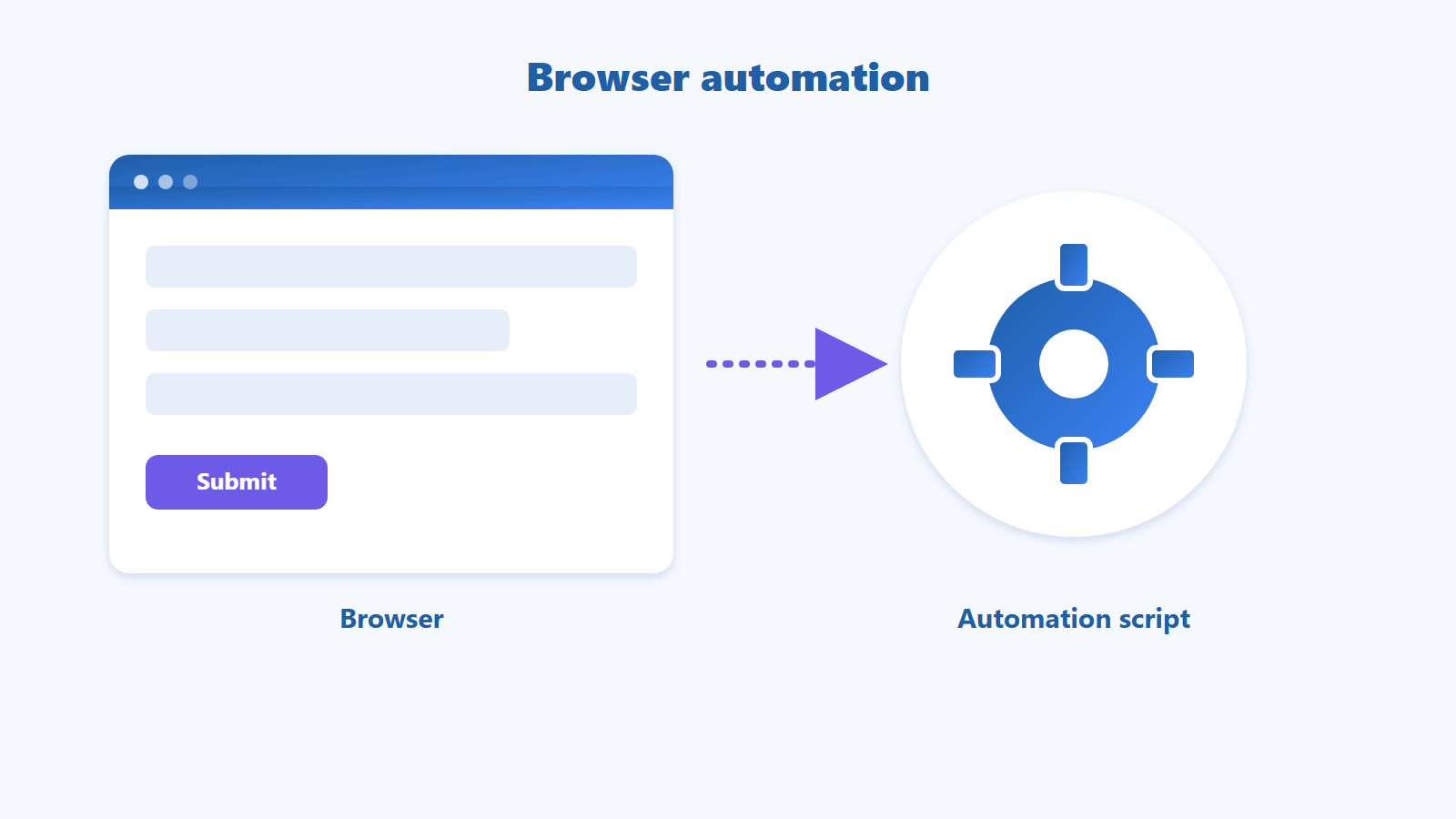
GPM Automate is a no-code workflow automation tool integrated into GPMLogin, allowing users to automate browser actions without writing scripts.
Instead of coding bots, users build workflows visually by defining sequences of browser actions, such as:
Opening websites
Logging into accounts
Clicking buttons
Filling forms
Scrolling pages
Uploading files
Waiting between actions
Running workflows across multiple profiles
All automation runs inside isolated GPMLogin browser profiles, preserving unique fingerprints and account environments.
This combination makes automation both efficient and safe.
How No-Code Automation Works
Traditional automation requires programming languages like Python, Selenium, or Puppeteer. GPM Automate removes this barrier.
A typical workflow creation looks like this:
Select browser profiles to automate.
Record or define actions step-by-step.
Add delays or conditional steps.
Save workflow template.
Run workflow across selected profiles.
For example, a seller might automate:
Open store dashboard
Check orders
Download reports
Log out
Repeat across accounts
All without writing code.
Who Benefits Most from GPM Automate?
Affiliate Marketers
Affiliates managing multiple ad or social accounts can automate routine posting, tracking checks, and login sequences.
E-commerce Sellers
Marketplace sellers running many stores can automate product checks, inventory updates, and messaging tasks.
Social Media Growth Teams
Teams managing client accounts can schedule repetitive login and content management tasks.
Airdrop and Web3 Participants
Users farming or managing wallet-related tasks across profiles can automate repetitive steps safely.
Agencies Managing Client Accounts
Automation reduces manual workload while maintaining account isolation.
Key Advantages of GPM Automate
1. No Coding Required
Teams can automate workflows without hiring developers or learning scripting tools.
2. Safe Automation Inside Anti-Detect Profiles
Automation runs inside unique browser fingerprints, reducing detection risks.
3. Scalable Multi-Profile Execution
Workflows can run across dozens or hundreds of browser profiles.
4. Time and Cost Efficiency
Automation replaces repetitive manual work, freeing teams to focus on growth tasks.
5. Workflow Standardization
Every account follows the same operational process, reducing mistakes.
Automation + Anti-Detect: Why Both Are Needed
Automation alone does not protect accounts. Platforms analyze:
Browser fingerprints
IP consistency
Behavioral patterns
Device environment
Running automation in normal browsers can cause account linkage or bans.
GPMLogin ensures:
Unique fingerprints per profile
Proxy assignment per account
Profile isolation
Consistent browsing environment
When automation operates within these profiles, accounts remain separated and safer.
Best Practices When Using Automation
Automation must still mimic human-like behavior.
Recommended practices include:
Add realistic delays between actions.
Avoid running too many accounts simultaneously.
Rotate proxies properly.
Maintain consistent account environments.
Avoid aggressive automation speed.
Smart automation scales safely; reckless automation leads to bans.
Future of Browser Automation
As platforms tighten detection systems, successful operations will rely on:
Account isolation
Human-like automation patterns
Scalable workflow tools
Safe profile environments
Automation tools integrated with anti-detect browsers, like GPMLogin + GPM Automate, are becoming essential infrastructure for teams managing accounts at scale.
Conclusion
Manual browser operations no longer scale in competitive online environments. Automation is necessary, but it must operate safely.
GPM Automate enables no-code workflow automation directly inside GPMLogin, allowing businesses to scale operations while protecting account environments.
For marketers, sellers, agencies, and Web3 users managing multiple accounts, combining automation with anti-detect browser technology offers a powerful and sustainable growth solution.