
What Is Automation? A Beginner's Guide to Workflow Automation

Automation turns a repetitive manual task into a flow that runs on its own, without someone doing it by hand every time.
Automation is the use of technology to automatically carry out a repetitive task based on a pre-set rule, instead of a person doing it manually every time.
If you're spending hours every week copying data between spreadsheets, sending the same reminder emails, or pulling together the same weekly report by hand, automation is the fix. This guide covers what automation actually is, how it works, the main types you'll run into, and — most importantly — how anyone, even without coding skills, can start building their own automation.
Quick summary • Automation runs on a trigger → action mechanism: when X happens, do Y automatically. • Four common types: RPA, no-code automation, script/API automation, and AI automation. • Main benefits: saved time, fewer human errors, and the ability to handle more work without hiring more people. • You don't need to code — no-code platforms like GPM Automate let you build automation by dragging and connecting steps. • Automation already fits everyday tasks: sales, marketing, bookkeeping, customer support. |
Table of contents
• What is automation?
• How does automation work?
• What are the main types of automation today?
• Why does automation matter more than ever?
• How is automation different from no-code and low-code?
• Who should start using automation?
• How can you start automating work without knowing how to code?
• Real examples of automation in everyday work
• Frequently asked questions
What Is Automation?
Automation is the process of using technology — software, scripts, or software robots — to carry out a task without a person having to step in manually each time it happens.
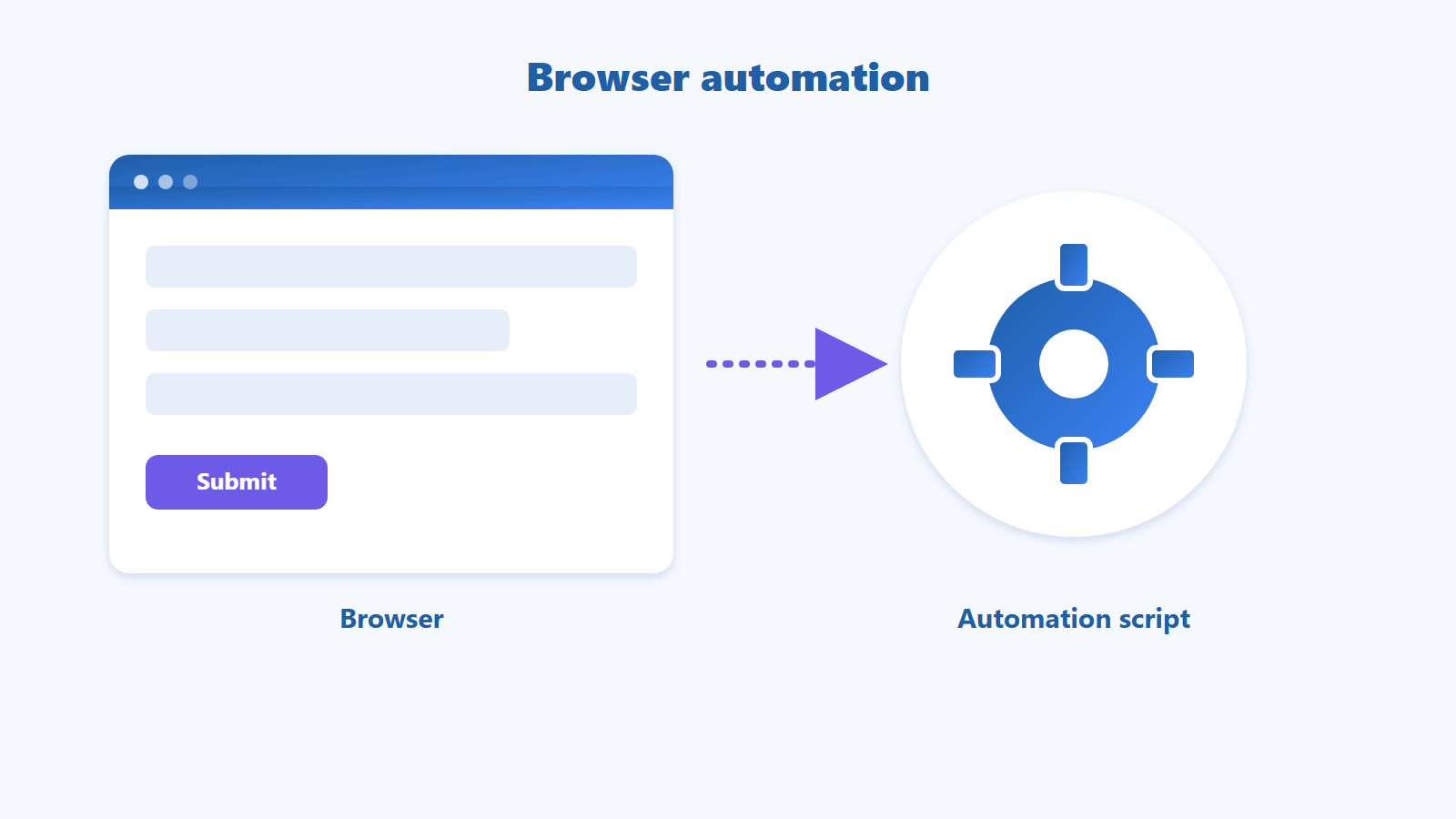
At the core of every automation is a “trigger” (the condition that starts it) paired with one or more “actions” (what actually gets done). The simplest example: “a new email arrives from a customer” (trigger) automatically leads to “save the attachment to Google Drive” (action). Automation is different from just clicking a button to run something manually — it fires on a schedule or a condition, with nobody watching over it.
How Does Automation Work?
An automation runs through three parts: a Trigger (what starts it), an optional Condition (extra filtering), and an Action (what actually happens).
 The basic structure of an automation: a Trigger starts the flow, a Condition filters further, and an Action carries out the task.
For example: the Trigger is “a new order comes in,” the (optional) Condition is “order value is over $50,” and the Action is “send the customer a confirmation email.” A more advanced automation can chain several actions together into a full “workflow” — for instance sending the email, updating the order status, and notifying the warehouse team, all in one run.
What Are the Main Types of Automation Today?
The four most common types of automation today are RPA, no-code automation, script/API automation, and AI automation — they differ in how they're built and how much technical skill they require.
Type | What it does | Best for |
RPA (Robotic Process Automation) | Mimics manual clicks and data entry on a screen, like a software robot doing the work | Businesses with repetitive tasks on legacy software with no API |
No-code automation | Built visually by dragging and connecting steps — no code written at all | Non-technical users who want to build something fast |
Script/API automation | Uses code or API calls to connect systems directly | Developers and technical teams needing deep customization |
AI automation | Adds AI to handle unstructured data and make decisions, not just follow fixed rules | Tasks that require “understanding” content like emails, images, or text |
 Four common types of automation: RPA, no-code automation, script/API automation, and AI automation.
Why Does Automation Matter More Than Ever?
Automation matters because it saves time, reduces human error, and lets a business handle more work without hiring more people.
• Saves time: a task that takes 10 minutes by hand can run automatically in seconds — multiply that by hundreds of repetitions a month and the hours saved add up fast.
• Reduces errors: software doesn't forget a step or mistype a number the way people do after repeating the same task many times.
• Scales without more headcount: you can handle more orders or customers without adding people to do the manual work.
According to McKinsey Global Institute's “A Future That Works” report (2017), about 60% of occupations have at least 30% of their activities that could be automated with technology available today — a sign of just how much room for automation exists in everyday work. Read the original report
How Is Automation Different From No-Code and Low-Code?
Automation is the goal — a task that runs on its own — while no-code and low-code are ways to reach that goal with different amounts of coding involved.
Term | What it is | Relationship to automation |
Automation | The goal: a task that runs on its own without human intervention | What you're trying to achieve |
No-code | A way to build software/automation by dragging and connecting steps, with zero code written | A common way to build automation |
Low-code | A way to build software/automation that may need a small amount of code for customization | A more flexible way to build automation than no-code, but still light on code |
Who Should Start Using Automation?
Automation fits office workers, online sellers, marketers, freelancers/agencies, and anyone who wants to build and sell an automation app for extra income.
• Office workers who want to cut down on repetitive data entry and report building.
• Online store owners and marketers who need to sync orders or schedule content across channels.
• Freelancers and agencies juggling multiple clients and workflows at once.
• Anyone who wants to build a useful automation app and sell it on a marketplace for extra income.
How Can You Start Automating Work Without Knowing How to Code?
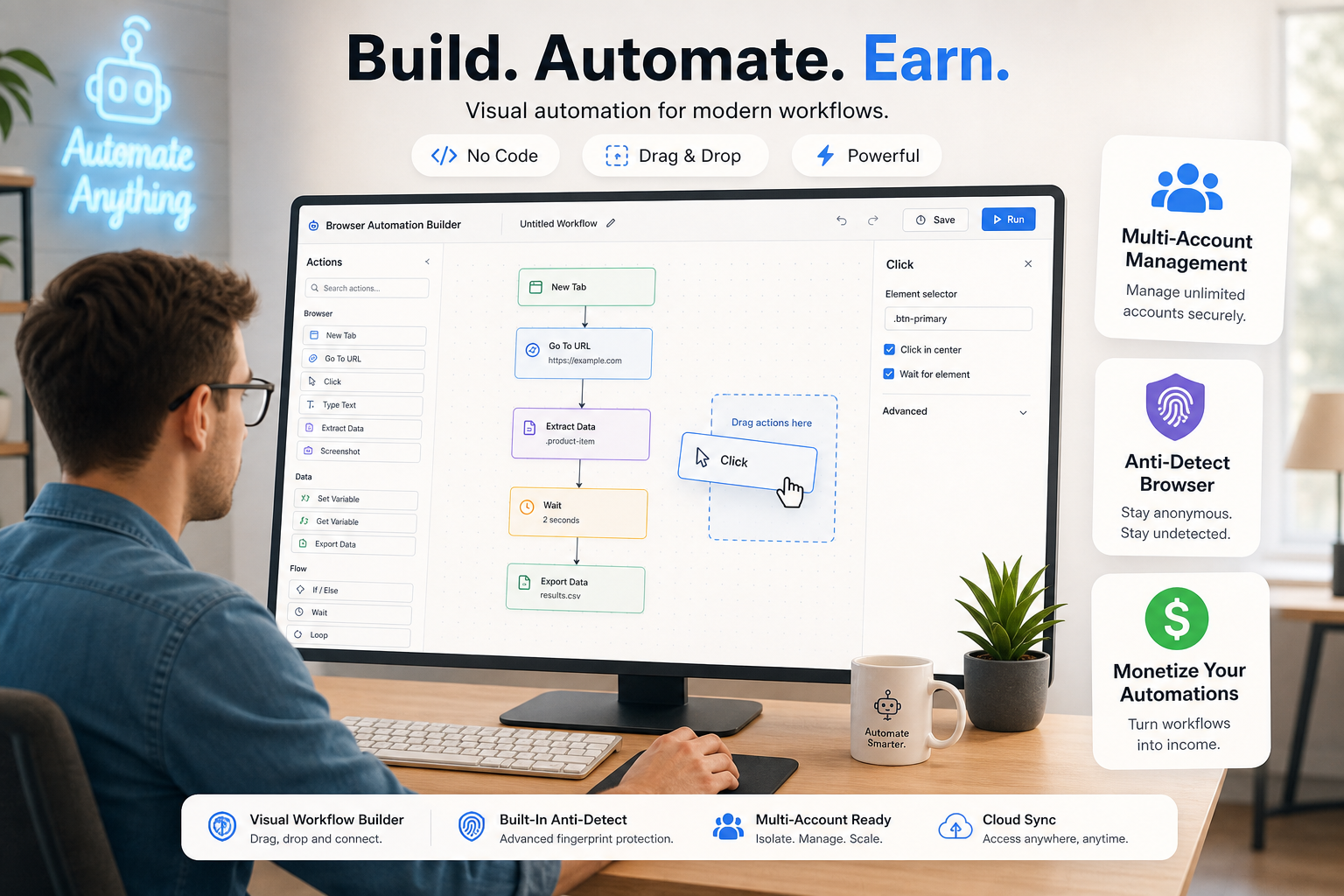
With a no-code platform like GPM Automate, you can drag and connect steps to build your own automation without writing a single line of code.
With GPM Automate, you can build an automation app for your own needs using a visual drag-and-drop builder. If you'd rather not build one yourself yet, GPM Automate Market — its built-in app marketplace — already has many automation apps built by the GPM team and other users that you can find and use right away. If you build a useful automation app yourself, you can also list it on the Market for extra income.
Explore GPM Automate and build your first automation app — check it out at gpmautomate.com |
Real Examples of Automation in Everyday Work
Automation already fits familiar tasks like report building, reminder emails, data backups, and invoicing.
• Automatically pulling sales data from multiple channels into one Google Sheet at the end of each day.
• Automatically sending payment reminder emails to customers who have opted in, so nothing gets forgotten.
• Automatically backing up important data on a daily or weekly schedule.
• Automatically sorting and tagging customer support emails by keyword.
• Automatically generating and sending an invoice as soon as an order is confirmed.
Frequently Asked Questions
Do I need to know how to code to use automation?
Not necessarily. With no-code platforms like GPM Automate, you can build automation by dragging and connecting steps — no code required. Knowing how to code just lets you customize things further when you need to.
How is automation different from AI?
Traditional automation follows fixed rules (if X, then Y), while AI can “learn” from data and make decisions in situations it wasn't explicitly programmed for. AI automation adds AI into the mix to handle tasks that can't be reduced to fixed rules, like understanding the content of an email.
Is RPA a type of automation?
Yes. RPA (Robotic Process Automation) is a branch of automation focused on mimicking manual actions on a screen — clicking, typing, copying — the way a software robot would do the work in place of a person.
Is using automation safe and legal?
Automation itself is a neutral technology, legal, and used by most businesses today. Problems only come up when it's misused — for example to mass-create fake accounts or to bypass another platform's anti-fraud protections, which violates that platform's terms of service. Used for legitimate business purposes — like managing data, sending notices to opted-in customers, or building reports — automation is entirely safe and legal.
Where can I start learning and building automation?
You can start with a no-code platform like GPM Automate — no coding required, and you can build your first automation app in just a few steps — or find a ready-made automation app on GPM Automate Market to use right away.
Automation is no longer a technology reserved for developers or large companies. With no-code platforms, anyone can automate their own repetitive work and free up time for what matters more.
Ready to automate your work? Explore GPM Automate today |